Karena banyaknya permintaan kepada GLC terkait dengan training online, maka GLC berinisiatif untuk membuat training MTCNA self-study, dimana peserta dapat mengikuti kursus tanpa harus datang ke tempat kursus, dapat diakses kapanpun, dan dari manapun. outline kursus: outline MTCNA selfstudy: INTRODUCTION - intro to GLC - intro to Mikrotik (product, training, certification) - Class topology (more…)
Description This training will provide you with the skills to configure a MikroTik RouterOS Routerboard as a dedicated router, a bandwidth manager, a firewall, a wireless access point, a VPN Server etc. This course covers the basics skills of routerOS configuration which is very useful for those that are new to Mikrotik RouterOS. Content - Standard MTCNA curriculum (http://www.mikrotik.com/download/pdf/MTCNA_Outline.pdf) - Enrichment materials - Best practices mikrotik implementation Prerequisite - Knowledge of TCP/IP - we assumed students are already understand IPv4 addressing, subnetting, OSI Model and basic networking skills. - Laptop with WiFi and Ethernet ports. If your laptop is non-windows based (e.g. Linux, Mac), then Winbox must be installed and working before join the class. - one CAT5 cable, min length 1m Recommended for This course is aimed at network administrators,…
[caption id="attachment_4900" align="alignnone" width="300"] Workshop: mikrotik essentials[/caption] Description This Mikrotik Essentials will provide you with the skills to configure a MikroTik RouterOS Routerboard as a dedicated router, a bandwidth manager, a firewall, a wireless access point, a VPN Server etc. This course covers the basics skills of routerOS configuration which is very useful for those who are new to Mikrotik RouterOS. Content LAB: Review TCP/IP LAB: Introduction to Mikrotik products and code LAB: Routerboard hard reset LAB: Accessing routerboard using layer 3 connectivity LAB: Accessing routerboard using layer 2 connectivity LAB: RouterOS CLI LAB: Reset with default configuration LAB: Reset without default configuration LAB: Install mikrotik from ISO image LAB: Setup identity LAB: create a group policy LAB: create / modify user LAB: check software ID and license LAB: configure / modify…
Description This advanced workshop will be focusing on building wireless network infrastructure using Mikrotik equipment. You will learn about the fundamental of Radio Frequency, using wireless distribution technology, implement mikrotik based wireless protocol (nstream and nv2), troubleshooting wireless links, and optimising wireless connection. upon successful completion of the course, students should be able to manage their wireless network better Content - Review Mikrotik - RF fundamental, decibel - Link budget calculation - Wireless standards: 802.11n, 802.11ac, nstreme, nv2 - Installing wireless devices, alignment - Understanding antenna: omni, directional - Choosing best Mikrotik wireless devices for your network - Using wireless tools on mikrotik devices: scan, snoop, spectrum analyzer, quickset - Wireless troubleshooting: registration table, CCQ, frame, timeout, signal strength, frames/hw-frames, datarate, spatial MIMO - Mikrotik wireless advanced features: WMM, country compliance,…
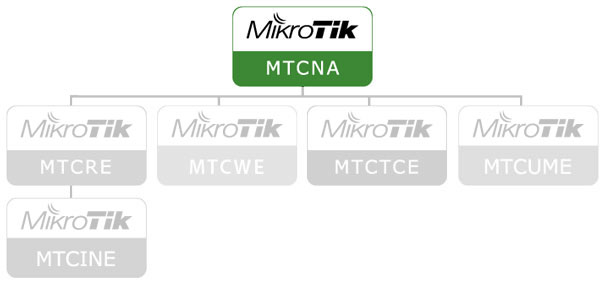
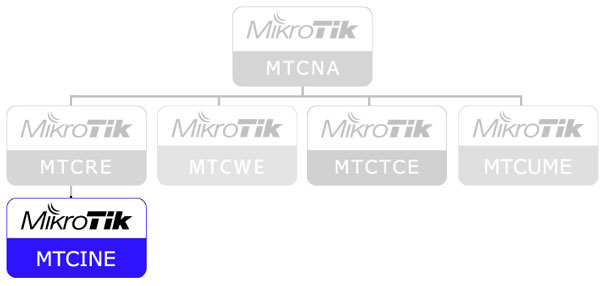
Description This advanced training will be focusing on build an interconnection network between Autonomous System (AS), as well as deploy an MPLS network to provide more services to the customers. By connecting to other AS with BGP, this means you will be part of the world network and eliminate NAT on your public interface. Content - Standard MTCINE curriculum (http://www.mikrotik.com/download/pdf/MTCINE_Outline.pdf) - Enrichment materials - Best practices mikrotik implementation Prerequisite - Knowledge of MTCNA and MTCRE - Laptop with WiFi and Ethernet ports. If your laptop is non-windows based (e.g. Linux, Mac), then Winbox must be installed and working before join the class. - one CAT5 cable, min length 1m Recommended for This course is aimed at people who already use Mikrotik RouterOS and wants to connect to other network (Autonomous System - AS). Internally,…
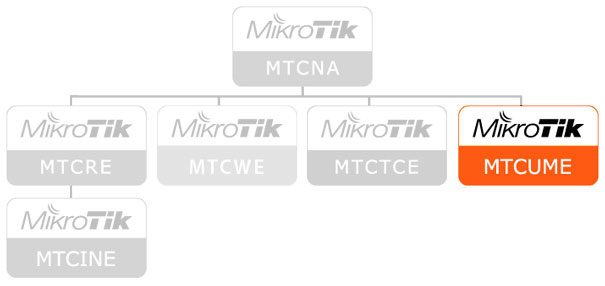
Description This advanced training will provide you with the skills to configure a MikroTik RouterOS as a router that could provide hotspot service, Mikrotik Radius (User manager), IP security, bridged VPN/tunnel, and multilink protocol. This course is very useful for ISP/network operator that provides web-based authentication using Mikrotik RouterOS. Content - Standard MTCUME curriculum (http://www.mikrotik.com/download/pdf/MTCUME_Outline.pdf) - Enrichment materials - Best practices mikrotik implementation Prerequisite - Knowledge of MTCNA - Laptop with WiFi and Ethernet ports. If your laptop is non-windows based (e.g. Linux, Mac), then Winbox must be installed and working before join the class. - one CAT5 cable, min length 1m Recommended for This course is aimed at people who already use Mikrotik RouterOS and wants to implement hotspot or other network authentication, Radius manager, implement IPsec, VPN, or tunnel Duration 3 days…
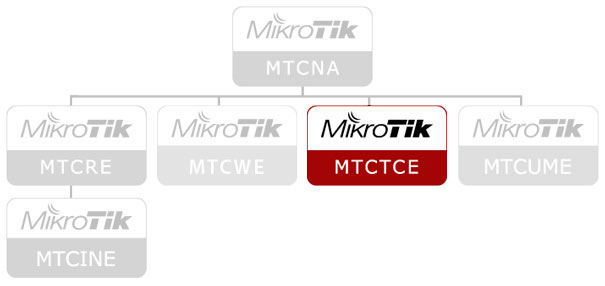
Description This advanced training will provide you with the skills to configure a MikroTik RouterOS as a bandwidth manager for your network, Identify network application with firewall mangle, setup a secured DNS cache/proxy, setup DHCP relay, and deploy a mikrotik-based proxy server Content - Standard MTCTCE curriculum (http://www.mikrotik.com/download/pdf/MTCTCE_Outline.pdf) - Enrichment materials - Best practices mikrotik implementation Prerequisite - Knowledge of MTCNA - Laptop with WiFi and Ethernet ports. If your laptop is non-windows based (e.g. Linux, Mac), then Winbox must be installed and working before join the class. - one CAT5 cable, min length 1m Recommended for This course is aimed at people who already use Mikrotik RouterOS and wants to implement a bandwith manager for their network, advanced use of firewall mangle to identify network application, setup DNS cache/proxy, setup DHCP relay, and…
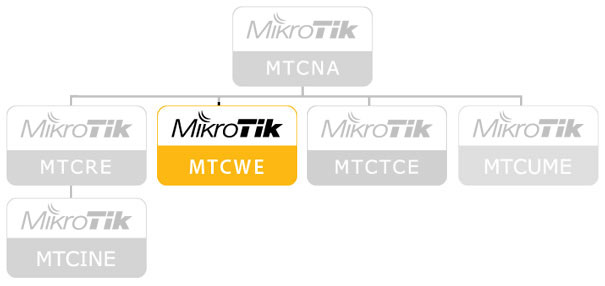
Description This advanced training will be focusing on building wireless network using Mikrotik equipment. You will learn about the fundamental of Radio Frequency, using wireless distribution technology, implement mikrotik based wireless protocol (nstream and nv2), troubleshooting wireless links, and optimising wireless connection. upon successfull completion of the course, students should be able to manage their wireless network better. Content - Standard MTCWE curriculum (http://www.mikrotik.com/download/pdf/MTCWE_Outline.pdf) - Enrichment materials - Best practices mikrotik implementation Prerequisite - Knowledge of MTCNA - Laptop with WiFi and Ethernet ports. If your laptop is non-windows based (e.g. Linux, Mac), then Winbox must be installed and working before join the class. - one CAT5 cable, min length 1m Recommended for This course is aimed at people who already use Mikrotik RouterOS and wants to implement/manage a wireless network. Duration 3…
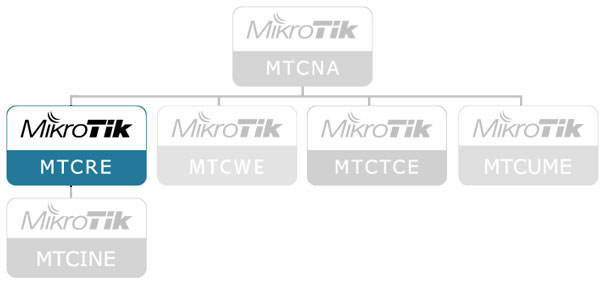
Description This advanced training will be focusing on building a routed network using Mikrotik equipment. With routing, you could make your network to be scalable, manageable, and secure, eliminating unnecessary NAT on internal network. Topics that will be covered in this are static routing, OSPF, load balancing, VPN, and VLAN. Content - Standard MTCRE curriculum (http://www.mikrotik.com/download/pdf/MTCRE_Outline.pdf) - Enrichment materials - Best practices mikrotik implementation Prerequisite - Knowledge of MTCNA - Laptop with WiFi and Ethernet ports. If your laptop is non-windows based (e.g. Linux, Mac), then Winbox must be installed and working before join the class. - one CAT5 cable, min length 1m Recommended for This course is aimed at people who already use Mikrotik RouterOS and wants to implement/manage a routed network. Duration 3 days Daily timetable duration: 09:00-17:00 lunch: 12:00 break: 10:30,…
Description By the end of this training session, the student will be familiar with IPv6 protocol and be capable to implement IPv6 network. Content - Standard curriculum (https://i.mt.lv/cdn/training_pdf/mtcipv6e_outline_2019181161836.pdf)- Enrichment materials- Best practices mikrotik implementation Prerequisite - Knowledge of MTCNA- Laptop with WiFi and Ethernet ports. If your laptop is non-windows based (e.g. Linux, Mac), then Winbox must be installed and working before join the class.- one CAT5 cable, min length 1m Recommended for This course is aimed at people who already use Mikrotik RouterOS and wants to implement/manage a ipv6 network. Duration 2 days Dailytimetable duration: 09:00-17:00lunch: 12:00break: 10:30, 15:30 Trainer see trainer Schedule see schedule Price see schedule Language english (if all students are from indonesia, then we use indonesian) Registration see schedule, contact us Facilities - lunch- snack-…